Welcome to the Alkaline Prime Affiliate Program.
What you get
✅ £100 for you for every valid sale
✅ £100 discount (or 2 free filters, depending on the active promotion) for your friend
✅ Payment to your bank account within 30 days
1. Complete the Registration Form
Register New Affiliate Account:
*Please note: In the Preferred Coupon Code field, you must create your own unique discount code. This code will be used by the clients you refer, and all orders placed with it will automatically generate commissions for your affiliate account.
3. Wait for Account Approval
After submitting the form:
✔ Your application will be reviewed
✔ You will receive an email notification once your account is approved ( please also check your Spam/Junk folder)
✔ After approval, you will have full access to all affiliate features
4. Access Your Affiliate Dashboard
✔ Log in to your account using the username and password you created during registration
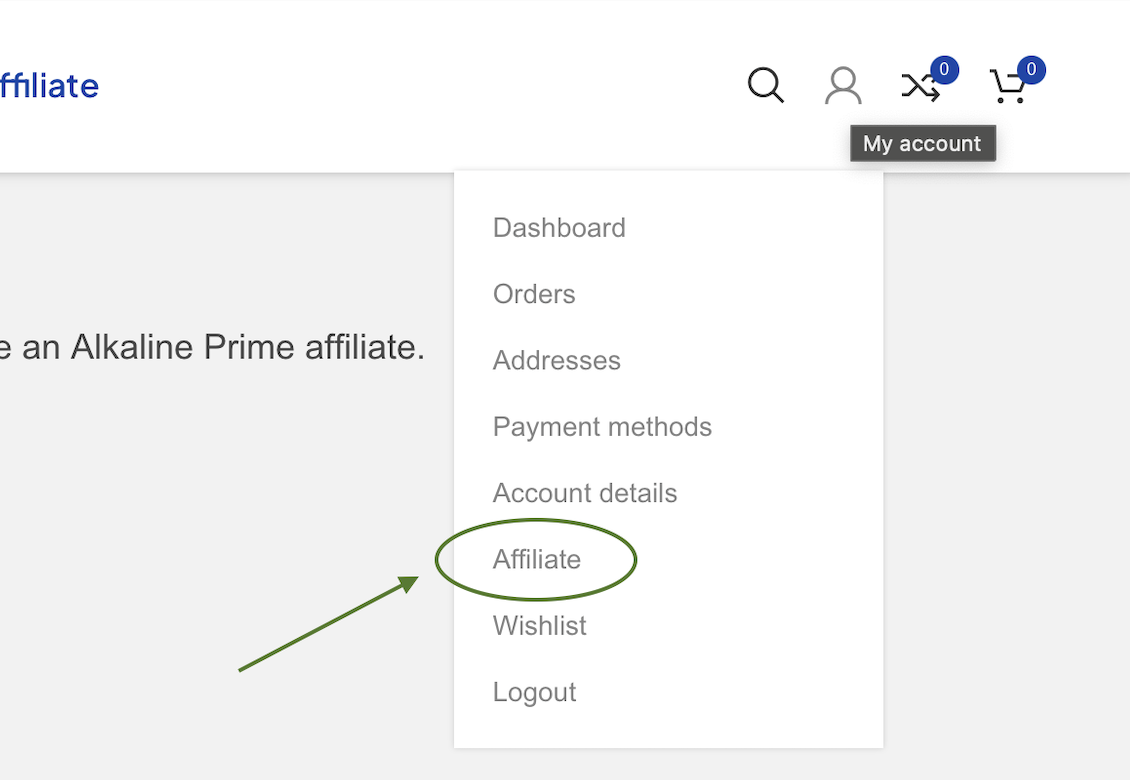
✔ Go to My Account
✔ Navigate to the Affiliate section in the account menu
From this section, you will be able to access your full affiliate dashboard, including your referral link, coupon code, statistics, commissions, and all affiliate-related tools.